
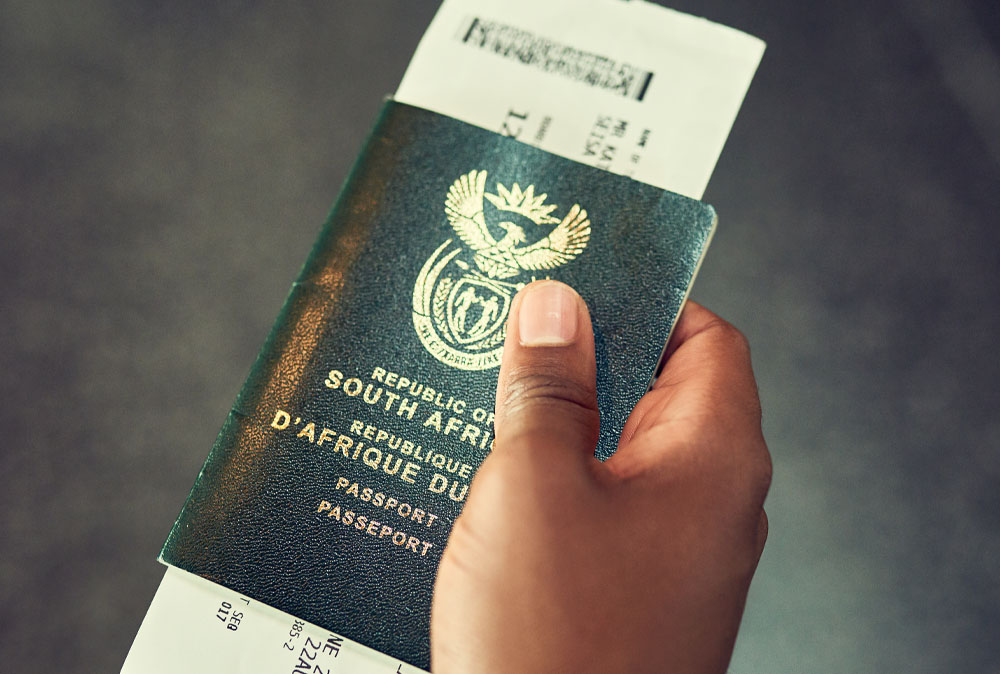

Gone are the days of taking leave to apply for a passport. In this technological age, the process of getting a visa and passport should be digital, with no “travelling” required.
Applying for a South African passport has become far quicker and more convenient than the old “queue-all-day” experience at Home Affairs.
You can now:
- Start your application online,
- Pay online via your bank, and
- In many cases, complete biometrics at selected branches of major banks instead of a Home Affairs office.
At the same time, the value of a South African passport remains significant: you can now visit 101 countries in 2026 without a prior visa, even though access to 5 destinations has been lost.
That makes it more important than ever to renew or apply correctly and on time. Below is a comprehensive, up-to-date guide on how the online process works.
What You Can Do Online – and What You Can’t
Done online via eHomeAffairs:
- Create a profile with the Department of Home Affairs (DHA)
- Complete a passport application form
- Pay the application fee through your bank
- Book an appointment at:
- A participating Home Affairs office, or
- A participating bank branch (major banks only, selected branches)
Still done in person:
- Biometrics (photo, fingerprints, and signature)
- Collection of the physical passport
You can’t receive a passport fully online – the physical document is still issued and collected in person.
Who Can Apply Online?
You can generally use the online system if you are:
- A South African citizen with a valid SA ID (green ID book or smart ID card)
- Applying for:
- A first adult passport
- A child passport
- A passport renewal (expired or about to expire)
- A replacement for a lost, stolen, or damaged passport
For children, at least one (and often both) parents/legal guardians must be involved in the process, especially at the biometrics stage.
Step 1 – Register on the eHomeAffairs Portal
- Go to the Department of Home Affairs eHomeAffairs website.
- Click Register and provide:
- Your ID number
- Full name and surname
- Cellphone number
- Email address
- Create a username and password and set your security questions.
- Confirm your details via OTP (One-Time Pin) sent to your phone and/or email.
Once registered, you’ll have an online profile where you can start applications, track progress, and see payment status.
Step 2 – Start Your Passport Application
After logging in:
- Select “New Application” and choose “Passport” (adult or child).
- Confirm your personal details (from DHA records).
- Provide or confirm:
- Contact details (phone, email)
- Residential and postal address
- For a child passport, you’ll need:
- Child’s ID or birth certificate details
- Parent/guardian information
- Parental consent (both parents where applicable)
You will typically choose the type of passport, e.g.:
- Standard adult passport (32 pages)
- Maxi passport (48 pages – useful for frequent travellers)
- Child passport
Check the summary screen carefully before continuing.
Step 3 – Pay the Passport Fee Online
You do not pay cash at the counter if you’re using the online system.
Instead:
- The system will generate a payment reference number.
- You pay via your internet banking or mobile banking app with a participating bank (e.g. the major South African banks).
- Use the exact reference number and amount provided by eHomeAffairs.
Once payment reflects (often within a few hours, but it can take a bit longer), your online profile will update the status to “Paid”, and you’ll be allowed to book an appointment.
Fees change from time to time. Always confirm the current passport fee on the DHA website or portal before paying.
Step 4 – Book an Appointment (Home Affairs or Bank)
After payment is confirmed, you’ll be prompted to book a biometrics appointment.
You usually have two options:
Option A: Home Affairs Office
- Choose a DHA office that supports online-booked applications.
- Pick a date and a time slot from what’s available.
- You’ll receive a confirmation (on-screen, plus email/SMS).
Option B: Bank Branch (Major Banks)
Many major South African banks (such as ABSA, FNB, Nedbank, Standard Bank, and others, subject to DHA arrangements) now host DHA service counters at selected branches.
Key points:
- Only selected branches in bigger cities offer this; not every branch does.
- You often need to be a client of that bank to use their branch for passport/ID services.
- You must book a specific time slot – you can’t just walk in.
On eHomeAffairs:
- Select the bank and then the branch you want.
- Choose an available date and time.
- Confirm your booking and keep the reference/confirmation.
This is where the “no more long queues” benefit really shows – the bank route is typically far less crowded and more structured than traditional Home Affairs visits.
Step 5 – Go for Biometrics (What to Expect)
On your appointment day, arrive 10–15 minutes early.
What to bring
- Your green ID book or smart ID card
- Your appointment confirmation (printed or on your phone)
- For children:
- Child’s birth certificate
- Parent/s or legal guardians with their IDs
- Any relevant court/guardianship documents, if applicable
What happens there
At the bank branch or Home Affairs office:
- Staff verify your identity and booking.
- They capture:
- Digital photo (you don’t need to bring ID photos)
- Fingerprints
- Digital signature
- They confirm all your details on screen.
This part normally takes a short time if you have a booked slot – often under 30 minutes in well-run bank branches, although it can be longer at busy DHA offices.
Step 6 – Tracking and Collecting Your Passport
Tracking
After biometrics:
- You will receive SMS updates at key stages (e.g. “Passport is in production”, “Passport ready for collection”).
- You can also log into eHomeAffairs to check the status.
Collection
- You must collect your passport at the same location where you did your biometrics:
- The bank branch you chose, or
- The specific Home Affairs office
- Bring:
- Your ID document
- Any SMS/confirmation you received
For children’s passports, a parent or legal guardian (with ID and relevant documents) must usually be present.
How This System Reduces Queues
Before eHomeAffairs and bank partnerships, most people:
- Filled forms on-site,
- Paid at the cashier and waited again,
- Stood in multiple, often chaotic queues.
Now:
- The form-filling and payment happen online at your convenience.
- You book a specific slot for biometrics, which greatly cuts down waiting time.
- Using a bank branch often means:
- Shorter queues
- Better-managed waiting areas
- Faster, more predictable service
You might still wait briefly on the day (especially at DHA offices), but the all-day, multi-queue ordeal has largely been replaced by a more streamlined, appointment-based system.
Processing Times and Validity
While times can vary:
- Processing time: Often ranges from about 7 to 21 working days once biometrics are done, depending on demand, location, and system backlogs.
- Validity:
- Adult passports are generally valid for 10 years.
- Child passports for a shorter period (often 5 years).
Always check the official DHA communication for the latest norms and possible delays.
Why This Matters More in 2026
South African passport holders had access to 106 destinations where they’d travel visa-free or get visa-on-arrival. Access to 5 destinations has been lost, meaning some countries that were previously more accessible may now require visas.
What this means for you:
- A valid passport remains a powerful document, especially for travel in Africa, parts of South America, Asia, and selected island states that allow SA citizens in without a pre-arranged visa.
- The global ranking and access can change, so:
- Always check up-to-date visa requirements for your destination, even if it was visa-free before.
- Plan well in advance if you’re travelling to countries where SA passport holders now require a visa.
The improved online application system and bank-based biometrics make it easier than ever to ensure you have a current passport ready as these travel opportunities and restrictions shift.
Passport Online Application FAQs
1. Do I still need to go in person if I applied for a passport online?
Yes. You must appear in person for biometrics and to collect your passport.
2. Can I apply from overseas using eHomeAffairs?
If you are abroad, you normally apply via the South African embassy or consulate, not through the local bank or eHomeAffairs system. Their procedures may differ slightly.
3. Can someone else do my biometrics for me?
No. Biometrics require your personal presence.
4. Can someone collect my passport on my behalf?
Usually no for adults, you must collect it yourself with your ID. For children, a parent or legal guardian collects, with proper documentation.
5. Do all branches of the big banks offer this service?
No. Only selected branches in partnership with Home Affairs. Check:
- Your bank’s website, and
- The eHomeAffairs booking page for the latest list.